Lesson 10 (part 2): Style
Go back to course home page
Style (also called Cascading Style
Sheets or CSS) is a very useful
feature, and when combined with JavaScript you
can do some impressive things. It is a separate language - different
from both Html and JavaScript. We don't need to learn much of it
though - just a few special formulae.
Note that tricks with style work for all sorts of objects, such as
images and text blocks.
Position
Style can be used to set an object's position:
First we define an object with a position given by its style.
Position is given by the top and left properties.
These give coordinates in pixels from the top and from the left.
So myObject.style.top = 100; actually means '100 pixels down'.
These coordinates can be relative (which means 'in the natural flow of the page'),
absolute (which means 'from the top-left of the web page') or
fixed (which means 'relative to the browser window'
- try it out on a large web page to see what that means).
We also give the image an onClick event-handler so that it will respond to
clicks:
 <img id="plane" src="aeroplane.gif"

      style="position:relative; top:0;
left:0;"

      onClick="movePlane();">

Now we better define the movePlane() function that gets called
when you click on the image:


 <script>

 myplane = document.getElementById("plane");

// Define a variable to hold the position value

 x = 0;

// Define a function to increase x, and reset the image's position

 function movePlane()

 {

      x += 50;

      myplane.style.left = x;

 }

 </script>
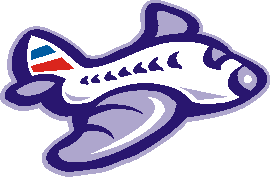
Click on the plane above to make it move right
Hide and Seek
Another useful style property is visibility. This lets
you hide objects. visibility can be "visible" or "hidden".
You can use this for many special effects. One common use is to make
pop-up menus and drop-down menus.
In the code below we will make another plane image appear and disappear.
First we need the plane image:
<img id="plane2" src="aeroplane.gif"
style="visibility:visible;" >
Now let's get hold of the image object and store it in a variable:
<script>
myplane2 = document.getElementById("plane2");
</script>
Now we need a way of calling the function. So let's create two links with
onClick event-handlers:
<a href="#" onClick="myplane2.style.visibility = 'hidden'">Click
here to make the
plane disappear</a>
<a href="#" onClick="myplane2.style.visibility = 'visible'">Click
here to make the
plane appear</a>
Click here to make the
plane disappear
Click here to make the
plane appear